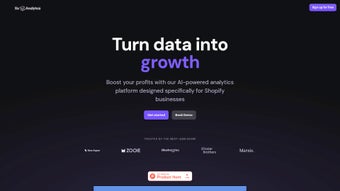

Download XO Analytics – AI‑Driven Shopify Growth Tool
Overview
XO Analytics is an AI‑driven analytics platform built specifically for Shopify merchants who want to turn raw data into clear, profit‑driving actions. By connecting directly to your Shopify store, XO Analytics continuously ingests sales, traffic, and advertising data, then uses machine learning to surface the most relevant insights each week. The platform’s core promise is to “unlock e‑commerce growth” through automated reporting, real‑time alerts, and data‑backed recommendations that are easy to understand even for non‑technical founders.
Whether you run a boutique dropshipping shop or a multi‑channel brand with thousands of SKUs, XO Analytics adapts its insights to match your scale, highlighting underperforming products, pinpointing wasted ad spend, and suggesting concrete steps to boost average order value. Subscription tiers range from a free‑trial Starter plan to a feature‑rich Pro plan, with an Enterprise option that adds custom reporting and managed ETL services. The tool’s weekly “Insights” email delivers a concise, visual snapshot of your store’s health, while the dashboard offers deep‑dive analytics for power users.
In short, XO Analytics positions itself as the single source of truth for Shopify growth, combining the convenience of a SaaS dashboard with the strategic depth of a dedicated data science team.
Key Features that Power Shopify Success
- AI‑Generated Weekly Reports: Automated, easy‑to‑read summaries that translate raw metrics into actionable recommendations.
- Customizable Alerts: Real‑time notifications for sudden traffic drops, inventory shortages, or cost‑inefficient ad campaigns.
- Product Performance Scoring: An algorithmic ranking system that highlights top‑selling, stagnant, and underperforming items.
- Ad Spend Optimization: Data‑driven suggestions on reallocating budget across Facebook, Google, and TikTok channels.
- Revenue Forecasting: Predictive modeling that estimates future sales based on historical trends and seasonal patterns.
- Multi‑Plan Flexibility: Starter, Pro, and Enterprise tiers that grow with your business, each adding deeper analytics and API access.
- Managed ETL Services (Enterprise): End‑to‑end data extraction, transformation, and loading so you never worry about data hygiene.
- Integration Hub: Seamless connection with Shopify, Google Analytics, Meta Ads, and third‑party POS systems.
- Data‑Backed Tips: Short, practical action items that can be implemented within minutes to improve conversion rates.
- Security & Privacy: End‑to‑end encryption, GDPR compliance, and role‑based access controls for team collaboration.
Each feature is designed with a specific growth bottleneck in mind. For example, the Product Performance Scoring helps founders quickly identify low‑margin SKUs that drain resources, while the Ad Spend Optimization module cross‑references ROAS (return on ad spend) with product margins to recommend where every advertising dollar yields the highest profit. The AI engine learns from your store’s unique behavior, meaning the insights become more precise the longer you stay connected. Moreover, the platform’s dashboard is built on a responsive UI that works on desktop, tablet, and mobile browsers, ensuring you can monitor key metrics on the go. Together, these capabilities give Shopify merchants a competitive edge, allowing them to iterate faster, cut waste, and focus on the strategies that truly move the needle.
Installation, Compatibility & Usage – From Setup to Daily Insights
Step‑by‑Step Installation
Getting XO Analytics up and running is intentionally simple. First, visit the XO Analytics website and click the “Start Free Trial” button. You’ll be prompted to sign in with your Shopify credentials; the OAuth flow securely grants XO Analytics read‑only access to orders, products, customers, and marketing data. After authorization, the platform begins an automatic data sync that usually completes within 10‑15 minutes for stores under 10,000 orders. No additional plugins or code snippets are required—XO Analytics operates entirely as a SaaS dashboard, so you avoid the headaches of manual installations or server maintenance.
Configuration and Customization
Once the initial sync finishes, you’ll be guided through a quick onboarding wizard. Here you can select the metrics that matter most—such as gross profit, CAC (customer acquisition cost), or churn rate—and define the frequency of alerts. The wizard also lets you connect external ad accounts (Meta, Google, TikTok) so the platform can pull spend data directly. For teams, you can invite collaborators and assign role‑based permissions (viewer, analyst, admin). All settings are stored in the cloud, meaning any device you log in from will reflect the same configuration.
Daily Workflow and Insight Consumption
After setup, XO Analytics works in the background, continuously analyzing incoming data. Each Monday, you’ll receive a concise “Weekly Insights” email that highlights the top three growth opportunities, any critical alerts, and a snapshot of key performance indicators (KPIs). The dashboard itself is organized into three main tabs: Overview (high‑level health metrics), Products (detailed SKU‑level performance), and Marketing (ad spend efficiency).
Users can drill down into any chart, apply date filters, or export CSV reports for deeper offline analysis. The platform also offers a “What‑If” simulation tool that lets you model the impact of price changes, discount campaigns, or budget reallocations before you execute them in the real world. This blend of automated reporting and hands‑on analysis makes XO Analytics a practical daily companion for both founders and marketing teams.
XO Analytics is a web‑based SaaS solution, meaning it runs on any modern browser (Chrome, Firefox, Safari, Edge) and is fully compatible with Windows, macOS, Linux, as well as mobile operating systems like Android and iOS. Because all processing happens in the cloud, there are no heavy client‑side requirements, and the experience remains fast even on low‑spec devices.
Pros, Cons & Frequently Asked Questions
Pros
- AI‑driven insights that require no manual data crunching.
- Seamless Shopify integration with no code changes.
- Customizable alerts keep you informed of urgent issues.
- Actionable weekly reports save time for busy founders.
- Scalable plans accommodate startups to enterprise‑level stores.
- Managed ETL for enterprise removes data‑pipeline headaches.
- Responsive UI works across desktop and mobile browsers.
Cons
- Advanced features (custom reporting, ETL) are only in the Enterprise tier, which can be pricey.
- Relies on continuous internet connectivity; offline access is not available.
- Learning curve for deep‑dive analytics may require a short onboarding period.
- Limited direct integration with non‑Shopify platforms (e.g., BigCommerce).
FAQ – Your Most Common Questions Answered
Is there a free trial for XO Analytics?
Yes, XO Analytics offers a 14‑day free trial of the Starter plan, giving you full access to weekly insights, alerts, and product performance scoring without requiring a credit card.
Can XO Analytics handle stores with more than 50,000 orders?
Absolutely. The platform is built on scalable cloud infrastructure, and the Enterprise tier includes priority data sync and dedicated support for high‑volume merchants.
How does XO Analytics protect my store’s data?
Data is transmitted via HTTPS, stored encrypted at rest, and the service complies with GDPR and CCPA. Role‑based permissions also let you control who can view or edit analytics.
Do I need to install any plugins on Shopify?
No. XO Analytics uses Shopify’s native API through a secure OAuth connection, so there’s nothing to install or maintain on your storefront.
Can I export the AI‑generated reports?
Yes, each report can be downloaded as a CSV or PDF, allowing you to share insights with stakeholders or integrate them into other BI tools.
Review Summary: XO Analytics provides a powerful blend of AI automation and deep analytics that dramatically reduces the time spent on data interpretation. The weekly insights are concise yet actionable, and the platform’s scalability makes it a solid investment for growing Shopify businesses.
Conclusion – Take the Next Step Toward Data‑Driven Growth
In the crowded world of Shopify apps, XO Analytics stands out by delivering true AI‑powered recommendations rather than static dashboards. Its ability to turn raw sales and ad‑spend data into clear, weekly growth tasks means you spend less time guessing and more time executing strategies that move the needle. Whether you’re just launching a niche store or managing a multi‑million‑dollar brand, the tiered pricing structure ensures there’s a plan that matches your budget and analytical maturity.
The platform’s secure, cloud‑first architecture eliminates the need for complex installations, while the responsive UI guarantees a smooth experience on any device. Although the most advanced features reside in the Enterprise tier, the Starter and Pro plans already provide enough depth to drive measurable revenue lifts for the majority of merchants. If you’re ready to replace spreadsheets and fragmented reporting tools with a single, AI‑enhanced growth hub, click the button below to start your free trial and see how XO Analytics can transform your Shopify data into profit‑generating actions.






